Making a restaurant menu with AI happens in three stages: having AI write the dish descriptions, using an AI design tool to build the layout, and then preparing the final file in a format suitable for printing.
AI is very good at the first stage, can partially handle the second stage, but cannot independently handle the third stage at all — and that is exactly where most restaurant menus go wrong. This guide will cover how to do each stage, prompts that produce usable copy, the design rules AI tools tend to ignore, and how to check your files to avoid problems when an AI-made menu is sent to the printer.
Before you begin, there is one thing worth understanding: the tool that writes menu copy is not the same kind of tool as the one that designs a menu, and an image generation tool cannot actually produce a usable menu at all. Understanding that distinction determines how most of the rest of the work should be done.
What does AI do well when making a restaurant menu?
AI is good at writing and organizing menu copy, can handle basic layout design, but cannot reliably produce a file that can be handed straight to a commercial printer without adjustment.
That distinction matters because the three stages of menu production have very different costs when something goes wrong. A bad dish description might cost you an upsell opportunity; a bad layout might lead to a reprint; a corrupted file could ruin an entire print run, and you often won't discover the problem until the finished products are shipped.
Work AI genuinely excels at includes: writing dish descriptions at a consistent length and in a consistent tone, sensibly dividing 40 dishes into categories, naming those categories, and rewriting the same menu into lunch, patio dining, and takeout versions without starting from scratch.
Work AI does adequately includes: arranging a complete layout from a template. The final result is usually balanced but lacking in personality. It will look like a menu, but not necessarily like your restaurant, unless you guide it further.
Areas where AI is unreliable involve the requirements of physical print products, such as file resolution, color conversion, bleed, fold positions, and whether 9-point type is easy to read in a corner booth lit by pendant lights. AI design tools are primarily optimized for screen display.
How do you use AI to write restaurant menu descriptions?
Provide the AI with structured recipe data for your dishes, and clearly specify word count, tone, what must be mentioned, and words that are prohibited.
Before opening any AI tool, list each dish's exact name, actual ingredients, cooking method, and price, and divide the dishes into categories. If you only give the model a simple list of dish names, it will invent details on its own, because that is the only way it can generate a complete description.
Whether the output is usable depends almost entirely on the prompt. A weaker prompt only asks the AI to write descriptions; a stronger prompt clearly specifies length, tone, what to mention, and what to avoid.
A weaker prompt looks like this:
Write descriptions for the dishes on my restaurant menu.
A stronger prompt looks like this:
Write a 15 to 20 English word description for each dish below. This is a casual American gastropub. The tone is warm and appetizing, but not pretentious. Mention the main protein, the cooking method, and one signature ingredient. Never use the words delectable, succulent, mouthwatering, savory, perfectly seasoned, or handcrafted. Do not add any ingredient I have not listed.
- Smash Burger. Two smashed beef patties, American cheese, caramelized onions, house sauce, brioche bun.
- Fish Tacos. Beer-battered cod, pickled cabbage slaw, jalapeño crema, flour tortillas.
- Mushroom Risotto. Arborio rice, assorted wild mushrooms, Parmesan cheese, fresh thyme.
Prohibiting specific words is the most valuable requirement in this kind of prompt. Food copy has a small set of adjectives that models habitually use. If you don't explicitly prohibit them, those words could appear in the descriptions for all 40 dishes.
Dish categorization and ordering is also work AI is good at, but that many restaurant owners handle based on experience alone. A practical prompt is: Divide these 42 dishes into categories suitable for a modern Mexican restaurant, give each category a name that fits an upscale casual brand, and order the dishes in each category from light to rich.
Save the prompts that work. In March, when you add three new dishes, you'll want their descriptions to be consistent with the original 40. The only reliable way to achieve that is to use the same requirements again. If you write the prompt from scratch each time, the final menu could end up sounding like it came from two different restaurants.
Pick your size. We handle the rest.
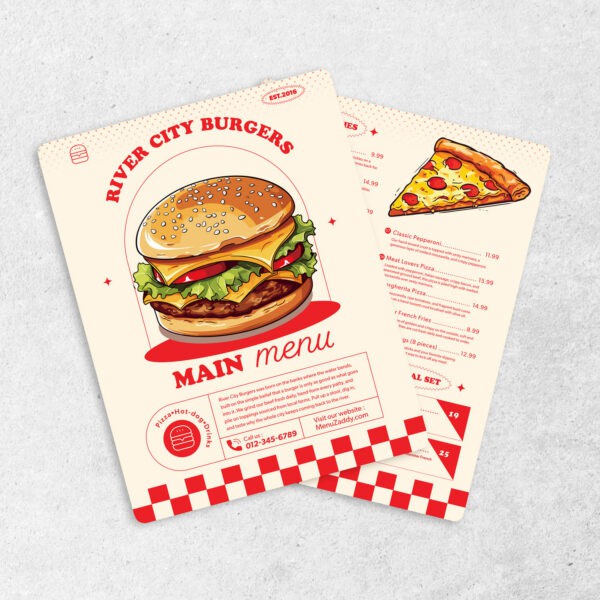
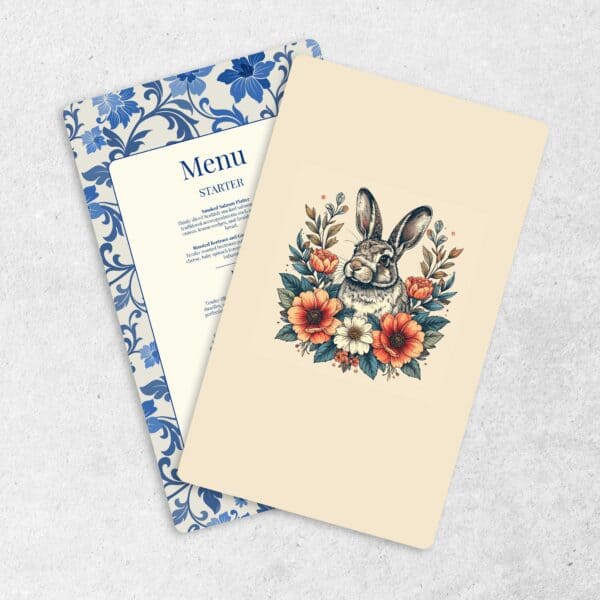
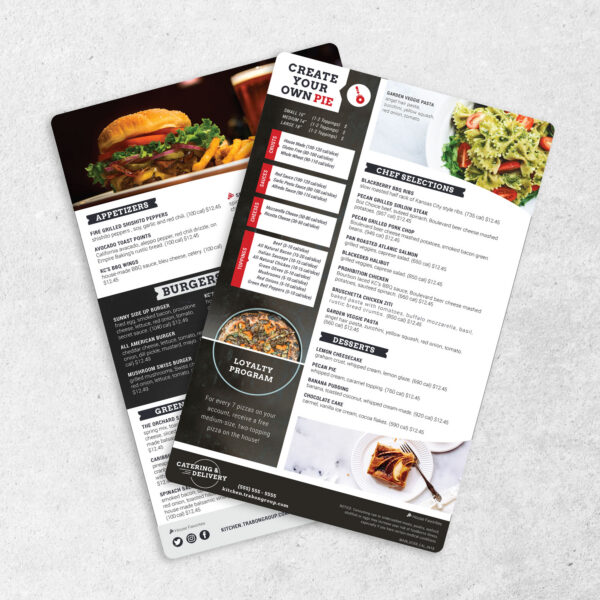
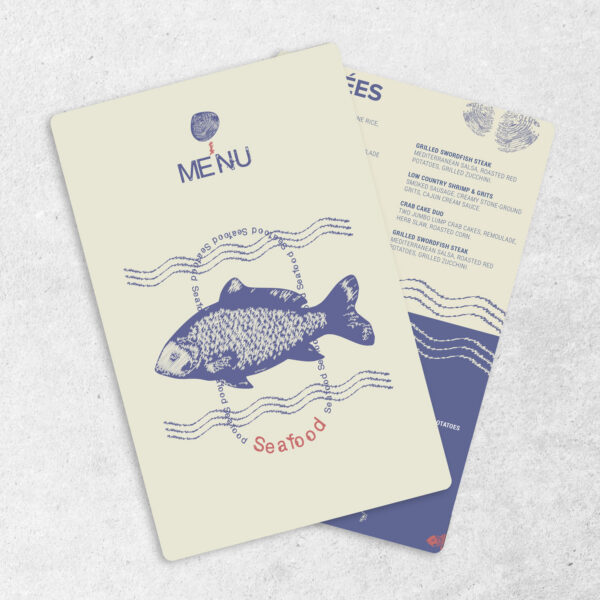
Every size prints on the same waterproof synthetic paper. Choose the format that fits your menu.
Why must every AI-generated dish description be checked against the recipe?
Because language models invent plausible-sounding ingredients to fill in information gaps, and printing fictional ingredients on a menu can create food safety issues.
This is the part of AI menu copy where there is real risk, and it's also where many restaurant owners tend to overlook the danger, because the generated text often reads very naturally. If a risotto doesn't actually contain scallions, white wine, or truffle oil, but the description says it does, that's not just a matter of copy style — it's misrepresenting what is actually in the food.
Before putting any text into the design layout, check it line by line against the real recipe.
- Every ingredient mentioned in a description must actually exist in the recipe. Delete everything that isn't accurate.
- No allergen information for ingredients actually present in a dish may be omitted.
- Do not add allergens that aren't actually present, lest customers who could have eaten the dish decide not to order it.
- Portion descriptions must be accurate. If the AI calls a dish shareable, confirm that the portion is actually large enough for multiple people.
- Cooking method descriptions must be true. Claims like grilled, braised, house-made, and wood-fired are verifiable factual statements.
The U.S. Food and Drug Administration (FDA) has identified nine major food allergens: milk, eggs, fish, crustacean shellfish, tree nuts, peanuts, wheat, soybeans, and sesame. According to the FDA's explanation, sesame has been listed as the ninth major food allergen since January 1, 2023.
These federal labeling requirements apply to packaged foods and dietary supplements, not to restaurant menus. Understanding that distinction is important, because it explains why allergen management varies among restaurants: state and local rules differ, and much of what many restaurants do in this area is industry practice, not a direct requirement of federal law.
But that doesn't change the basic operational fact. The model doesn't know your prep process. It doesn't know if fryers are shared, if a house sauce contains soy, or if a brioche bun contains milk.
The accuracy of allergen information depends on the person who knows the real recipe. All information must be verified before the file is sent to print, not discovered when a customer asks about it.
Which AI tool should you use to design a menu?
You need two types of tools: a language model for copy, and a design tool for layout. Image generation tools cannot directly generate a truly usable menu.
The biggest misconception about AI menu design is treating these tools as the same category of product. They perform different tasks, and only one category can generate a file a printer can use.
Language models. ChatGPT, Claude, Gemini, and Meta Muse can write and rewrite dish descriptions, divide and name menu categories, adjust tone, and translate between languages. But they themselves will not generate an actual menu layout or print file.
General design platforms. Canva, Adobe Express, and Visme offer template-based layout, precise document size settings, editable text, and PDF export. But these tools won't judge for you whether text is easy to read in a restaurant environment, nor will they automatically make all the layout decisions appropriate for a menu.
Dedicated menu design platforms. MustHaveMenus and iMenuPro are designed specifically for restaurant menus. They can generate a menu from a dish list, reflow the layout when dishes change, and handle content like daily specials. The price is less design control. Compared to general design tools, you have less freedom to adjust fonts and layout.
Image generation tools. Midjourney, DALL-E, and Firefly can generate decorative images or background images, but they cannot actually make a menu, because text in an image is just pixels, not editable text.
This is exactly the most time-wasting mistake. Ask an image generation tool to make a restaurant menu, and it might indeed return an image that looks very much like a menu. But look closely at the text in it and you'll see the problem.
Text in an image is not real text, but an image of text made of pixels. You cannot directly fix a misspelled dish name, change a price, correct allergen information, or readjust the layout of a category. Prices often turn into illegible characters. Letters that look correct at thumbnail size may be completely distorted when enlarged. Because the entire menu is a raster image, the text also cannot print sharply at actual menu size.
Image generation tools are suitable for making background textures or category illustrations. The menu itself should be completed in a tool where text remains editable.
Whether a design tool can generate a printable menu depends on the following four functions. Before you put all 40 dishes into it, you should confirm the tool has these four functions, because export options may change over time and may vary by subscription plan.
- The document can be set to an exact final trim size, not just a choice of preset sizes.
- When exported, text remains editable text, rather than being flattened into an image.
- It can export PDF files.
- It can add bleed on export, or allows you to manually extend the background beyond the page edge.
Not Sure Yet? Feel It First with A Sample Pack
Heavier stock than the leading brand, for less. Spill on it, wipe it, and it still looks new.
✓ Fully waterproof, not laminated
✓ Heavy 12 and 15 mil stock
✓ Orders from just 25 menus
How do you use an AI design tool to make a menu layout?
Set the final trim size first, then start from a template, add the real copy, then generate multiple design versions and combine the best parts of them.
The order of operations matters. Changing the document size after completing the layout will cause all content to reflow, and many manually adjusted details will be destroyed as a result.
The following uses Canva as an example, because many restaurant owners are already using that platform. These steps apply equally to other design tools. The focus here is on the work you need to complete, not which specific button to click, because software interfaces can change at any time.
- Set the final trim size before you start designing. First determine the actual size of the menu, and set the document exactly to that size. Common flat menu sizes include: 5.5 × 8.5 inches, suitable for inserts and drinks menus; 8.5 × 11 inches, suitable for standard dine-in menus; 8.5 × 14 inches, suitable for longer menus; 11 × 17 inches or 12 × 18 inches, suitable for large-format or posted menus. Size selection is more a practical use question than a pure design question. Placing an 11 × 17 inch menu on a table for two will crowd the space for plates; putting 60 dishes into a 5.5 × 8.5 inch menu could force the font down to a size that is difficult to read in dim light.
- Start from a template, not a blank canvas. Search the template library for restaurant menus, and choose a template that matches your restaurant's style. Templates usually already handle margins, font hierarchy, and category structure. If you start from a blank page, you have to solve those problems yourself while also learning the design tool, and the result is often not ideal.
- Paste in the finished copy before adjusting the design. Put in the real dish descriptions first, and don't rush to modify other content. Real copy is usually longer and more uneven in length than placeholder text, so it can immediately expose whether a template fits your menu. If you adjust fonts and spacing around placeholder text, that work will likely be wasted later when you swap in the real content.
- Generate multiple versions, then pick the best parts. Most design platforms can generate different layouts from existing content. Try generating three to five versions, but don't adopt any one complete solution directly. These kinds of generators usually only provide balanced but impersonal results. A better approach is to combine the strengths of different versions, for example using one version's category heading design and another version's dish spacing.
- Manually fix the generator's problems. After generation is complete, you still need to adjust font size for dim environments, font selection, text contrast, dish spacing, and the experience of customers actually picking up and using the menu.
The downside of templates is a lack of uniqueness. AI menus often look like AI menus because they use templates that thousands of other restaurants have also used.
If the menu carries your brand image, then one job worth paying a designer to do is to create a custom template set for you. After that, you can maintain and update that template yourself for years to come.
What menu design rules will AI design tools not follow?
AI tools are optimized for bright screen environments, but do not adequately consider dim restaurants, a use case that requires holding the menu with both hands, and the actual characteristics of a menu as a physical object.
For text readability, a clear public reference standard comes from the World Wide Web Consortium (W3C) accessibility guidelines. According to WCAG 2.1, text that reaches 18 point at regular weight, or 14 point in bold, can be considered large text. This standard is primarily for screens, not print, so it should be used as a reference, rather than a hard rule for menu design.
In practice, the default body text size in a design tool may look generous on a laptop screen, but at seven in the evening, in a restaurant booth lit only by pendant lights, it may appear too small.
Print the menu at actual size, check it under your restaurant's normal operating lighting, and ask someone over 50 to read it. This kind of test reaches a conclusion faster than relying on specifications alone.
The WCAG contrast standard specifies: the minimum contrast ratio for ordinary text is 4.5:1, and for large text is 3:1. Using a free contrast checker tool, you can confirm in a few seconds whether a set of colors meets these standards.
AI design tools often recommend low-contrast color combinations, such as cream text on a beige background, or gray text on a charcoal background. These combinations may photograph well, but are hard to discern in a dim restaurant. If you insist on using a dark background, increase the font weight, not just the font size.
Use one font for headings and another for body text. Layout generators often recommend three to four fonts, because on screen, variety looks more visually appealing. But on a menu, this approach makes the whole document feel like it was pieced together by a committee.
Right-aligning prices uniformly and connecting them to dish names with leader dots forms a prominent column of numbers. Customers can scan the entire price column while completely ignoring any dish descriptions.
If you put the price immediately after the description, and make the price the same size and weight as the body text, customers are more likely to see the price as part of the dish information, rather than an independent list of numbers. This is a long-standing menu design convention, not a quantified, verified effect, but it costs almost nothing to implement.
If dishes are arranged too densely, customers will skim quickly. Leave clear spacing between different dishes, and more obvious white space between different categories, so customers don't have to struggle to find category boundaries. Specific spacing depends on font size, so a print proof at actual size should be the basis for judgment, rather than mechanically following a particular number.
This is exactly the distinction AI tools cannot understand: a menu will be picked up by customers, passed between tables, placed on a damp tabletop, and then picked up again.
A layout that looks perfectly balanced on a monitor might place the highest-margin dish at a fold position. A full-bleed dark background might be covered in fingerprints after a week of operation. Paper without sufficient margins might cause customers to touch the text directly when they pick it up.
These problems cannot be seen in a design preview, but can affect actual use from the first day of operation.
Should you use AI-generated food photos on a menu?
You should not use them to show dishes you actually serve. AI-generated images may present food you don't serve, and plating effects the kitchen simply cannot replicate.
A photo on a menu is a promise, showing customers what they will receive. AI image generators create idealized food: perfect grill marks, impossible garnish placement, and portions no kitchen can achieve.
Kitchen staff cannot replicate this effect, because the food in the image never actually existed.
That gap can ultimately lead to customer complaints, and the pressure usually falls on the server, not the person who originally decided to use the image.
Decorative or generic images are another matter. For example, using stylized illustrations to decorate category headings, adding textures or background patterns, or making a planning mockup to judge whether a menu needs photos. None of these uses make a factual promise about a specific dish.
In the United States, federal law does not require restaurants to disclose whether menu images are AI-generated. State consumer protection laws generally prohibit deceptive commercial practices. If an image materially distorts the dish a customer actually receives, related risk may be involved.
Moreover, customers are increasingly able to recognize AI-generated food images, such as unnaturally uniform textures, or utensils that bend unreasonably. Customers who can spot fake photos may therefore form a negative judgment about the kitchen's actual ability.
Photograph real food. Using a phone by a window to photograph the plate the kitchen actually uses when serving will often be more effective than an AI-generated image, because the truly important purpose is to let customers understand what they are about to receive.
If photos are a core part of the menu and you want high-quality finished products, hiring a professional photographer is the appropriate choice. Before that, you can use AI images to plan layout and photo placement, and replace them with real photos later.
What are the most common mistakes when making a menu with AI?
The recurring problems are mainly print production errors, not copy errors, such as incorrect export settings, using too many fonts, inconsistent price formatting, and not printing a proof before ordering.
1. Exporting the file using screen display settings. Design tools usually default to screen resolution. If you hand a file made for screen display directly to a printer, the finished product may be blurry or pixelated, and it cannot be remedied on press. You must set the correct resolution before export, not deal with it after export.
2. Not allowing extra room for trim edges. If a background color or image extends exactly to the document edge, trimming may leave thin white edges on one or more sides. The background must extend beyond the finished edge.
3. Text too close to the page edge. Layout generators may place text very close to the edge to make the on-screen composition more balanced. But because there is some error in trimming, any content close to the trim line is at risk of being cut off. Prices and category headings are especially vulnerable.
4. Using four fonts. This is one of the most common visual characteristics of AI-made menus. Using two fonts consistently looks more intentional; using four fonts makes it feel like the layout was automatically generated, and in fact it was.
5. Inconsistent price formatting. $12, $12.00, and 12 all appearing in the same menu. Generators usually don't unify these formats, because each price is placed independently. Choose one format, and check every line.
6. Prices misaligned with their corresponding dishes. Layout tools place prices where there is space. When dish description lengths are inconsistent, a price can visually correspond to the wrong dish. Check the menu from top to bottom in the order customers will actually read it, and confirm each price is immediately next to the correct dish.
7. Ordering without printing a proof. This is the most costly mistake. All of the above problems can be discovered by printing the menu on a sheet of paper at actual size and taking it into the restaurant to check. Almost no problem can be judged as reliably on a monitor.
8. Designing a menu that cannot be updated. If prices have been flattened into an image, or the file is locked in a template that cannot be re-edited, then the next time you adjust prices, you may have to start from scratch. Always keep the editable source file and the effective prompts.
Can ChatGPT design a restaurant menu?
ChatGPT is good at writing menu copy, but cannot directly generate an editable, complete layout file, and text in the menu images it generates cannot be accurately corrected.
ChatGPT, Claude, and Gemini are all capable of writing and reorganizing menu copy at a usable quality, including writing descriptions to a specified length, dividing menu categories, adjusting tone, shortening a longer menu into a lunch version, and translating. Providing an existing menu to one of these tools as text, with clear requirements, will usually give you copy that needs editing rather than a complete rewrite.
Meta Muse also belongs to the same category. It is a general-purpose AI assistant, not a design tool, so it is mainly responsible for writing and organizing, not layout.
If you ask it to design a menu, you will usually get one of two results: a layout description that you still need to actually produce in other software, or an image.
The latter is especially misleading. The image looks very realistic at first glance, but on closer inspection you'll find it unusable and uneditable, because the text in the image is not actually real text.
Use a language model to write copy, and a design tool to make the layout. Separating those two steps is the key to the whole process. Trying to hand all the work to the same kind of tool ultimately often results in a menu that cannot be correctly modified.
How do you prepare an AI-designed menu file and send it to print?
Export the menu as a PDF at the final size, extend the background beyond the trim line, keep text a sufficient distance from the edges, and then check the printer's specific specifications.
AI menu projects often fail at this stage for a simple reason: the goal of a design tool is to make content look correct on screen, but a printed menu has technical requirements that screen display doesn't need to consider. A file that looks perfect in a browser is not necessarily a file a press can directly produce.
Before handing off the file, you must confirm the following four things.
- Size. The document must exactly match the required menu's final trim size.
- Resolution. Export at print quality rather than screen display quality. A low-resolution file cannot be remedied through the printing process.
- Edge allowance. Backgrounds and images must extend beyond the trim line to avoid white edges after trimming.
- Text inset. No content that needs to be read should be tight against the final trim edge.
Every printer has its own technical specifications, and those specifications may differ. You should follow the requirements published by the supplier actually doing the print work, rather than copying generic numbers from a blog.
Menu Zaddy's specific requirements are listed on the Design & File Setup page, including accepted file types, recommended resolution, how far the background needs to extend beyond the trim line, how much space needs to be left around text, and how color is handled. If using Canva, that page also provides corresponding export setting recommendations.
Blurry text, color shifts, thin white lines at edges, and text being trimmed off are all common problems with clear causes. Most problems can be fixed in the design tool, and then you can reorder.
The fastest check is to use your existing office printer to print a proof at actual size, then take it into the restaurant to view. A print proof costs almost nothing, yet can reveal most of the problems a monitor hides.
What allergen and calorie labeling rules apply to restaurant menus?
Federal calorie labeling rules apply to chain restaurant operators with 20 or more locations. Federal allergen labeling rules apply to packaged foods, not restaurant menus. State and local rules may differ.
AI tools do not automatically check these requirements, and may generate a menu that looks complete but actually omits content required by local rules.
If a chain restaurant has 20 or more locations, operates under the same name, and offers substantially the same menu items, it must label calories for standard menu items on menus and menu boards. This is the FDA's menu nutrition labeling requirement. For self-service foods and foods on display, calorie information must be placed near the dish, and clearly correspond to the respective dish.
A restaurant with only one location is not bound by this federal rule, but some areas have state and local calorie labeling rules. In any case, calorie values must come from nutritional analysis. A language model can generate a plausible-looking number on request, but a plausible number is not the same as a real calorie measurement.
The nine major food allergens established by federal law include milk, eggs, fish, crustacean shellfish, tree nuts, peanuts, wheat, soybeans, and sesame, as detailed in the FDA's explanation. Sesame was added to that list on January 1, 2023.
These federal labeling rules are aimed at packaged foods and dietary supplements, not restaurant menus. Restaurant menu allergen management practice is mainly influenced by different state and local rules, and a restaurant's own operating policies. You should verify the specific requirements where you operate, rather than assuming a uniform national standard exists.
The Americans with Disabilities Act (ADA) does not specify a font size or layout form that menus must use. In practical implementation, reasonable accommodation is an important consideration. This usually means a restaurant should be able to provide a large-print menu when a customer requests it, and arrange for staff to assist in reading the menu aloud. Design tools will not proactively remind you of these issues, and a menu that only追求es screen visual effect is often the one that most needs an additional large-print version prepared.
This section presents general requirements and does not constitute legal advice. Please confirm the specific rules applicable to your restaurant with your local health department or legal advisor.
What material should an AI-designed menu be printed on?
It depends on how often the menu is changed. If a menu needs to be used continuously on tables throughout service, it must be able to withstand the impact of the restaurant environment.
This is a question AI tools usually don't raise proactively, but it determines whether, by the third month, a menu can still maintain the restaurant's original image.
If a menu is changed weekly, material importance is relatively low. Because you will change the menu before the material is noticeably damaged, lower unit cost is the main consideration.
If a menu needs to be used for an entire season, the situation is completely different. The menu must withstand use on every shift until the planned reprint date, rather than having to be removed and replaced early because some menus are damaged. The additional replacement cost caused by a poor material choice is the real cost to consider.
Both uncoated and coated paper menus absorb liquids. Water, condensation, grease, and sauces can all seep into paper fibers. Once this happens, the paper is damaged and cannot be restored by simple cleaning.
Lamination can provide some protection, but also has structural limitations. A laminated menu seals paper inside a plastic film, so there are different layers, and different layers can separate. Daily handling first affects edges and corners. Once moisture gets between the film and the paper core, the menu surface can become cloudy, and the lamination can lift.
Synthetic menu paper is not simply adding a coating to the surface of paper. It itself is a plastic-based material, so there are no paper fibers to absorb liquid, and no laminated layer that could separate from the core. Menu Zaddy prints menus using MZ1 synthetic material, at a thickness of 15 mil.
This is a structural difference, not a performance rating. Liquid will sit on the material's surface, rather than seeping inside, so it can be wiped clean. After each customer's meal, the menu can be cleaned. Corners can also withstand daily handling without being damaged by material softening or fraying, because it does not have a layered structure that can separate.
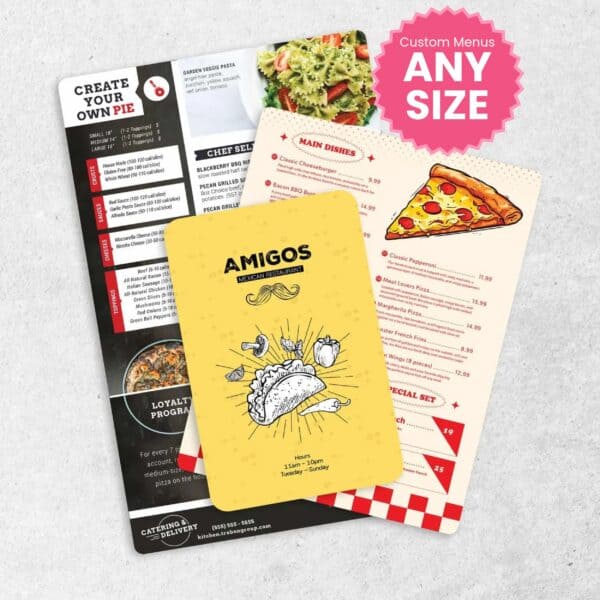
Menu Zaddy offers flat synthetic menus in the following sizes:
Each product page provides size and order quantity options.
Dark backgrounds, large food photos, and fine fonts perform differently on printed paper than on a backlit screen. This is one of the problems AI design tools find hardest to judge for you. It's best to understand these differences before completing the layout, rather than discovering them after printing is complete.
The best way to solve this problem is to physically handle the actual material. A sample pack allows you to place a real menu on your own table, in your restaurant's own lighting environment, and check it during your busiest service period. This helps you make correct design decisions more than viewing a print preview on a monitor.
For a more comprehensive understanding of synthetic menu paper, please refer to the Complete Guide to Waterproof Menus for Restaurants.
Frequently Asked Questions
Can I make a restaurant menu with AI for free?
The copy can be made for free, and the design part can also be completed for free to a certain extent. Language models usually offer a free version that can write dish descriptions; design platforms also offer free menu templates. The limitations of free plans usually appear in export options for print files.
The real limitation is often not in the design process, but at the export stage. A free plan may not provide the settings a press needs for production. Before you start making the entire menu, you should first confirm what type of file the current plan can export, and whether it supports the required print settings.
What is the best AI tool for making a restaurant menu?
There is no single tool suitable for all tasks, because writing a menu and designing a menu are two separate jobs. Use a language model to handle copy, and a design platform to make the layout.
If your menu is updated frequently and you have no design experience, consider a dedicated restaurant menu platform, because when a dish list changes, this type of platform can reflow the layout.
How long does it take to make a restaurant menu with AI?
For a one-page menu, using AI to write copy and apply a template for layout usually takes a few hours. If you also add your own photography and prepare print-ready files, it will take longer.
Most of the time is actually spent checking dish descriptions against real recipes, and checking the print proof, rather than generating the design itself.
Will an AI-made menu look professional?
It can, but it requires manual refinement. Common problems include too many font types, a layout overly reliant on template defaults, inconsistent price formatting, and dish descriptions lacking personality. These problems all have clear solutions.
For a menu where brand image is crucial, first designing a custom template set, then using AI to maintain and update content, usually works better than relying on either approach alone.
Is it legal to use AI-generated food images on a menu?
There is no federal law in the United States that categorically prohibits this practice. State consumer protection laws generally prohibit deceptive commercial practices. If an image materially distorts the dish a customer actually receives, related legal risk may be involved.
The safer approach is to use photos of real dishes, and limit AI-generated images to decorative or generic uses.
What file format should I send to a menu printer?
PDF is the standard format. However, different printers may accept different file formats, so you should confirm the supplier's requirements before export.
The file types and file setup requirements accepted by Menu Zaddy are listed on the design page.
Can AI update an existing menu without remaking the entire menu?
Yes, and this is one of AI's most valuable uses. Provide the existing menu to the model as text, and have it rewrite dish descriptions, adjust copy tone, or adapt a longer menu into a more concise lunch version.
But this depends on having an editable source file. If a menu only exists as a flattened image, or a PDF file that cannot be re-edited, it must be remade.
Order a Sample Pack
Menus That Last
✓ Waterproof, not laminated
✓ Heavy 12 and 15 mil stock
✓ Only 25 Menus Minimum Order Quantity